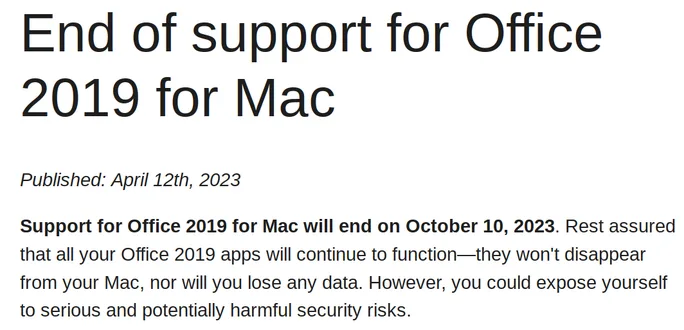
Microsoft announced that Office 2019 and Office 2021 for Mac will enter a "reduced functionality mode" on July 13, 2026, when their license-validation certificate expires. From that date, users will only be able to open and view files but will not be able to edit, save, or create new documents in Word, Excel, PowerPoint, Outlook, and OneNote on these versions [1, 2, 3, 4].
Office 2019 for Mac reached its end of support on October 10, 2023, and cannot be updated to support the new license certificate since its latest supported version is 16.78. As a result, it will be permanently limited to view-only mode after the July 13 deadline [1, 2, 3, 4]. Jared Spataro of Microsoft noted, "Office 2019 is a one-time release and won't receive future feature updates" [1].
Office 2021 for Mac users are also affected, but those running macOS Monterey (version 12) or later and Office version 16.83 or higher can avoid losing editing features by updating before the certificate expires on July 13 [3, 4]. Microsoft scheduled Office 2021 for Mac to reach its end of support on October 13, 2026 [1, 3].
Microsoft suggests that Office 2019 users switch to Microsoft 365 web apps, subscribe to Microsoft 365 plans, or purchase newer Office versions to maintain full functionality [2, 3, 4]. The license expiration and functionality reduction only affect macOS and iOS versions; Windows and Android users will not experience any changes [3, 4].
On May 30, 2026, Microsoft removed the previous assurance from its Office 2019 end-of-support webpage that the apps would "continue to function," signaling the upcoming view-only mode change [1, 2].
Mac users relying on Office 2019 who want to retain editing capabilities must upgrade to supported versions or migrate to Microsoft 365 before July 13, 2026, when the reduced functionality mode takes effect, restricting document editing and saving.
![The same Microsoft URL captured on May 30, 2026, re-dated Published: May 15th, 2026.[4]](/uploads/2026/05/31/278535813e7a36984ab315c8.webp)